Moving DNS from Squarespace to Cloudflare
I wanted to add a subdomain xx under whateveryoucall.com and put Cloudflare Access in front of it, so that only people who had signed in could open it. The DNS, though, was at Squarespace and the sites were on GitHub Pages:
  whateveryoucall.com        A      185.199.108.153         # GitHub Pages
  alpha.whateveryoucall.com  CNAME  <user>.github.io        # GitHub Pages
  bravo.whateveryoucall.com  CNAME  <user>.github.io        # GitHub Pages
  ...
  aws.whateveryoucall.com    NS     ns-1024.awsdns-00.org.  # delegated to Route 53, site on S3
  delta.whateveryoucall.com  NS     ns-2048.awsdns-64.com.  # delegated to Route 53, site on S3
+ xx.whateveryoucall.com     CNAME  <project>.pages.dev     # Cloudflare Pages, behind Access
Does adding that one line mean moving the whole domain's DNS to Cloudflare, and would the sites already on GitHub be affected if I did?
What changes after the move:
  registrar    Squarespace
- nameservers  ns-cloud-a1 to a4.googledomains.com
+ nameservers  ada.ns.cloudflare.com, bob.ns.cloudflare.com  # entered at Squarespace, stored at .com
- edit records Squarespace DNS Settings
+ edit records Cloudflare DNS → Records
  sites        GitHub Pages
The old nameservers were Google's because the domain was bought at Google Domains. Google sold Google Domains to Squarespace in 2023, and the DNS kept running on Google's infrastructure (press release).
Managing a single subdomain on Cloudflare costs too much
Cloudflare Access only protects zones that are active in your Cloudflare account; the Access docs list "An active domain on Cloudflare" as the prerequisite.
Cloudflare can manage just a subdomain, but not on the free plan:
- Partial (CNAME) setup: DNS stays at Squarespace and Cloudflare holds only a zone. The docs say it is "only available to customers on a Business or Enterprise plan", and Business is $2,400/yr or $250/mo.
- Subdomain setup: the subdomain becomes its own zone, which the table in the docs lists for Enterprise only.
BUT... AWS Route 53 will happily make a subdomain its own zone, for $0.50 a month per hosted zone. You create an xxins3.whateveryoucall.com hosted zone in Route 53 and add four NS records at Squarespace that point to it:
  # whateveryoucall.com at Squarespace
  www.whateveryoucall.com     CNAME  <user>.github.io
  ...
+ xxins3.whateveryoucall.com  NS     ns-111.awsdns-11.org.   # the 4 Route 53 gives you
+ xxins3.whateveryoucall.com  NS     ns-222.awsdns-22.net.
+ xxins3.whateveryoucall.com  NS     ns-333.awsdns-33.com.
+ xxins3.whateveryoucall.com  NS     ns-444.awsdns-44.co.uk.

  # xxins3.whateveryoucall.com at Route 53
+ xxins3.whateveryoucall.com  A      ALIAS d111111abcdef8.cloudfront.net
Alias queries that point to CloudFront are free too (Route 53 pricing), and that is how aws and delta in the diff above were delegated. Access is a Cloudflare feature, though, so a zone on Route 53 cannot use it, and this route does nothing for the subdomain that needs Access.
Fine. Free plan it is, and the whole domain moves. (Squarespace is painful to use anyway.)
Does moving DNS move the sites?
No. Most records at Squarespace pointed to GitHub, and after the move they still point to GitHub, so nothing changes for the sites themselves; the files were on GitHub all along.
Before  visitor → asks Google's nameserver     → 185.199.108.153 (GitHub) → GitHub serves the page
After   visitor → asks Cloudflare's nameserver → 185.199.108.153 (GitHub) → GitHub serves the page
How the records get to Cloudflare
Write every record from the Squarespace DNS Settings page into a txt file in Berkeley Internet Name Domain (BIND) format, then upload it with Import DNS Records under Cloudflare DNS → Records:
$ORIGIN whateveryoucall.com.
$TTL 3600
alpha        IN CNAME <user>.github.io.
bravo        IN CNAME <user>.github.io.
...
delta        IN NS    ns-2048.awsdns-64.com.
...
(<user> is the GitHub account that hosts the sites.) After the import, Cloudflare has the same records as Squarespace.
Imported records come in Proxied by default
Every A, AAAA and CNAME record on Cloudflare has a cloud switch. Proxy imported DNS records is checked by default in the Import dialog, so everything you import comes in orange (Proxied) unless you uncheck it:
A visitor looking up alreadyhascert.whateveryoucall.com gets | Web traffic goes | |
|---|---|---|
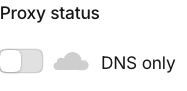 | GitHub's IP | visitor → GitHub |
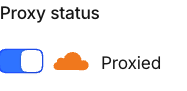 | Cloudflare's IP | visitor → Cloudflare → GitHub |
A Proxied record puts Cloudflare in front of GitHub as a reverse proxy. The visitor's DNS lookup only returns Cloudflare's IP; once they connect, Cloudflare follows CNAME <user>.github.io and forwards the request to GitHub, so that CNAME is only used inside Cloudflare. Sitting in the middle is what lets Cloudflare cache and block attacks. It only forwards web traffic, which is why the switch only appears on the records a browser looks up:
- A, AAAA: the browser gets the site's IP from these.
- CNAME: the browser gets another name (for example
<user>.github.io) and then looks up that name's IP.
The other three are not looked up by browsers, so they have no switch:
- MX: a sending mail server uses it to find the host that receives mail.
- NS: a resolver uses it to find which nameserver is responsible for the domain.
- TXT: services like Google and GitHub read verification text from it.
Proxied raises a concern for GitHub Pages subdomains. Before GitHub requests an https certificate for a custom domain, it looks up DNS, and with Proxied on it would find Cloudflare's IPs and might not request one. These records behaved like DNS only at Squarespace anyway, so I switched them all back to grey and kept only alreadyhascert Proxied as an experiment; whether GitHub still requests a certificate is tested further down.
Should the imported _domainconnect CNAME be deleted?
One imported record came from Squarespace itself:
CNAME _domainconnect _domainconnect.domains.squarespace.com
It is for the Domain Connect protocol, which lets other services add records for you. Say you set up Google Workspace to receive mail at whateveryoucall.com: Google looks up this record first, learns that Squarespace manages the DNS, and sends you to Squarespace's authorization page.
After the move, keeping it or deleting it makes no difference. Cloudflare answers every TXT query for _domainconnect with its own value, and Google asks for TXT, so Google ends up at Cloudflare either way. I deleted it to keep an unused record out of the Records list, and left the original at Squarespace alone.
Here are the lookups at both providers, with matching step numbers; step 1 is where they differ:
① Before the move, DNS at Squarespace
# 1. Ask Squarespace's nameserver for TXT. This name only has a CNAME, so it returns the CNAME
$ dig +noall +answer @ns-cloud-a1.googledomains.com _domainconnect.whateveryoucall.com TXT
_domainconnect.whateveryoucall.com.  14400  IN  CNAME  _domainconnect.domains.squarespace.com.

# 2. Look up TXT on the name the CNAME points to
$ dig +noall +answer _domainconnect.domains.squarespace.com TXT
_domainconnect.domains.squarespace.com.  1800  IN  TXT  "domains.squarespace.com"

# 1+2. Ask a resolver. It follows the CNAME itself and returns both lines at once
$ dig +noall +answer _domainconnect.whateveryoucall.com TXT
_domainconnect.whateveryoucall.com.      14400  IN  CNAME  _domainconnect.domains.squarespace.com.
_domainconnect.domains.squarespace.com.  1800   IN  TXT    "domains.squarespace.com"
② After the move, DNS at Cloudflare
# 1. Ask Cloudflare's nameserver for TXT. It returns TXT directly, so there is no step 2
#    This record is not in the Records list. Whether the imported CNAME exists, Proxied or DNS only, this is what comes back
$ dig +noall +answer @ada.ns.cloudflare.com _domainconnect.whateveryoucall.com TXT
_domainconnect.whateveryoucall.com.  3600  IN  TXT  "api.cloudflare.com/client/v4/dns/domainconnect"

# 1+2. Ask a resolver. Still one line
$ dig +noall +answer _domainconnect.whateveryoucall.com TXT
_domainconnect.whateveryoucall.com.  3600  IN  TXT  "api.cloudflare.com/client/v4/dns/domainconnect"

# Other domains with DNS on Cloudflare get the same answer
$ dig +noall +answer _domainconnect.discord.com TXT
_domainconnect.discord.com.  3600  IN  TXT  "api.cloudflare.com/client/v4/dns/domainconnect"
$ dig +noall +answer _domainconnect.medium.com TXT
_domainconnect.medium.com.   3600  IN  TXT  "api.cloudflare.com/client/v4/dns/domainconnect"

# 3. Call Cloudflare's settings URL from the TXT value
$ curl https://api.cloudflare.com/client/v4/dns/domainconnect/v2/whateveryoucall.com/settings
→ "urlSyncUX": "https://dash.cloudflare.com/domainconnect"
Google appends /v2/whateveryoucall.com/settings to the TXT value and calls it, Cloudflare returns https://dash.cloudflare.com/domainconnect as the authorization page, and so the same flow now ends at Cloudflare.
In normal DNS, once a name has a CNAME, every query on it returns the CNAME first, which is what Squarespace does in ①. Cloudflare makes an exception for _domainconnect.
Changing nameservers: sending resolvers to Cloudflare
Moving your things into a new house is not enough if the post office's address book still lists the old one. Imported records are in the same position: on the TLD (Top-Level Domain, here .com) servers, the line saying who is responsible for whateveryoucall.com still says Google, so resolvers keep asking Google. Changing nameservers means changing that line, and only the registrar can do it, so it happens at Squarespace. Looking up alreadyhascert.whateveryoucall.com takes three levels:
The change touches only the middle level, from Google's four servers to Cloudflare's two. The root level stays the same, and so does our CNAME pointing at the final destination, which was imported into Cloudflare earlier. Right after the change on the Squarespace Domain Nameservers page, the TLD servers already returned the new NS, and Cloudflare returned the right A, CNAME and MX records.
About half a day after the NS change, I asked four resolvers for NS 300 times each to see whether any were still asking Google:
| Resolver | Run by | Answered Google |
|---|---|---|
8.8.8.8 | Google Public DNS, a public resolver anyone can use | 0 |
1.1.1.1 | Cloudflare's public resolver | 0 |
9.9.9.9 | Quad9, a public resolver run by a Swiss nonprofit | 0 |
168.95.1.1 | Chunghwa Telecom HiNet, the default resolver a Taiwanese ISP gives its customers | 13 (about 4%) |
HiNet still answers Google now and then because resolvers cache old answers, and one resolver address has many machines behind it whose caches expire at different times. That line on the TLD has a TTL of two days, so the records at Squarespace have to stay for those two days; delete them early and people on HiNet have a small chance of not reaching the site.
DNSSEC and the nameserver change: which goes first
Turn off DNSSEC at Squarespace and wait a day, change the nameservers and wait two days, then turn on DNSSEC at Cloudflare and paste the DS back into Squarespace. Honestly, I didn't wait that long, and nothing seemed to break.
A resolver looking up a name is like someone asking for directions:
1. resolver asks the counter (.com): who do I ask about whateveryoucall.com?
2. counter: ask ada.ns.cloudflare.com or bob.ns.cloudflare.com (the NS)
3. resolver asks the NS: where is whateveryoucall.com?
4. NS: 185.199.108.153
Without DNSSEC, the resolver believes whichever answer arrives first at step 4, so an attacker can beat the NS to it with a fake IP. DNSSEC adds two things:
- At step 2, besides pointing the way, the counter records which key the NS's answers must be signed with. That record is the DS (Delegation Signer).
- At step 4, the NS attaches a signature to its answer, the RRSIG (Resource Record Signature).
The resolver checks the RRSIG against the DS and only accepts the answer if they match.
Both the NS and the DS change during the move, and both are changed at Squarespace. Resolvers keep the old ones in cache, though, the NS for up to two days and the DS for up to one, so for a while a resolver may take the old DS to the new NS, or the new DS to the old NS. If the nameserver it asks cannot produce the signature the DS wants, the resolver returns SERVFAIL; if .com has no DS, it checks nothing. Switch between the DS and NS combinations below:
"On at Google" with "Cloudflare's nameserver" is what you get by changing nameservers with DNSSEC still on: the DS wants Google's key, Cloudflare does not have it, and neither the site nor mail can be looked up.
| Step | What to do | How long to wait | How long I waited |
|---|---|---|---|
| 1. Turn off DNSSEC | Turn it off at Squarespace; the DS and Google's signatures are removed together | One day, for the DS cache to expire | Three minutes |
| 2. Change NS | Change to Cloudflare's nameservers at Squarespace | Two days, for the NS cache to expire | Three hours |
| 3. Turn on DNSSEC | Turn it on at Cloudflare, then paste the DS into Squarespace | No wait |
Step 1 has its own risky day. The DS and Google's signatures disappear in the same minute, so a validating resolver that still has the old DS cached returns SERVFAIL too. When the DS was removed, I queried 8.8.8.8, 1.1.1.1 and 9.9.9.9 once each; none had the old DS cached, and I did not notice any subdomain failing to open afterwards. HiNet was still asking Google 4% of the time half a day after the NS change, but HiNet happens not to validate DNSSEC.
What DS, DNSKEY and RRSIG actually look like
# DS: one level up at .com (a.gtld-servers.net is one of the .com TLD servers). Signer is com.
$ dig +norec +dnssec +noall +authority @a.gtld-servers.net whateveryoucall.com NS
whateveryoucall.com.  172800  IN  NS     ada.ns.cloudflare.com.
whateveryoucall.com.  172800  IN  NS     bob.ns.cloudflare.com.
whateveryoucall.com.  86400   IN  DS     54321 13 2 <hash>
whateveryoucall.com.  86400   IN  RRSIG  DS 13 2 86400 ... com. <signature>

# DNSKEY: at Cloudflare, two different keys
#   257: the one the DS matches, used only to sign this DNSKEY set
#   256: the one that actually signs A, CNAME, MX and the other records
$ dig +dnssec +noall +answer @ada.ns.cloudflare.com whateveryoucall.com DNSKEY
whateveryoucall.com.  3600  IN  DNSKEY  257 3 13 <public key of 257>
whateveryoucall.com.  3600  IN  DNSKEY  256 3 13 <public key of 256>
whateveryoucall.com.  3600  IN  RRSIG   DNSKEY 13 2 3600 ... whateveryoucall.com. <signature>

# RRSIG: returned with the A record. Signer is whateveryoucall.com.
$ dig +dnssec +noall +answer @ada.ns.cloudflare.com whateveryoucall.com A
whateveryoucall.com.  300  IN  A      185.199.108.153
...
whateveryoucall.com.  300  IN  RRSIG  A 13 2 300 ... whateveryoucall.com. <signature>
The resolver checks from the root down: it confirms .com's key, uses the DS on .com to confirm Cloudflare's DNSKEY, and uses that DNSKEY to check the RRSIG next to the A record.
After you click Enable DNSSEC at Cloudflare:
- Cloudflare generates two key pairs, 257 and 256. The private keys stay at Cloudflare and the public keys go into the zone as the two DNSKEY records.
- Cloudflare signs A, CNAME, MX and TXT with the private key of 256 and the DNSKEY set with the private key of 257; those signatures are the RRSIGs. It signs at the moment it answers, so every RRSIG you get is valid from 25 hours before the query to 25 hours after it.
- Cloudflare hashes the domain name together with the public key of 257 using SHA-256 and shows the result, the DS, in the dashboard. Once you paste it into the Squarespace DNSSEC page, Squarespace sends it to
.com, which signs it with its own private key as theRRSIG DS.
Having two keys makes replacing them easier. 256 signs a lot and can be replaced often, which only means 257 signs the DNSKEY set again, whereas replacing 257 changes the DS and means another trip to Squarespace, so 257 is left alone as much as possible.
Can GitHub Pages subdomains be Proxied?
With Proxied on, the response headers show both Cloudflare and GitHub:
$ curl -I https://alreadyhascert.whateveryoucall.com
HTTP/2 200
server: cloudflare          # added by Cloudflare
x-github-request-id: <id>   # sent by GitHub
...
GitHub does not look at headers when it requests a certificate, though. Before GitHub Pages asks Let's Encrypt for an https certificate for a custom domain, it looks up DNS to confirm the domain points to GitHub, and the same CNAME <user>.github.io answers differently under DNS only and Proxied:
# DNS only: returns the CNAME and GitHub's IPs as they are
$ dig +short alreadyhascert.whateveryoucall.com
<user>.github.io.
185.199.108.153
...

# Proxied: returns only Cloudflare's IPs, not even the CNAME
$ dig +short alreadyhascert.whateveryoucall.com
104.21.x.x
172.67.x.x
So under Proxied, GitHub's lookup only finds Cloudflare's IPs. Will it still request a certificate? GitHub's docs do not mention Cloudflare and the Let's Encrypt forum has people saying both yes and no, so I tested it.
alreadyhascert cannot answer this, because its certificate was issued long ago, and clearing and re-entering its custom domain only makes GitHub reuse that certificate. So I made a brand new repo, brandnewnocert, added a Proxied CNAME for it on Cloudflare, set the custom domain, and read the Pages status with gh api:
14:38  Proxied, set custom domain   DNS check successful
                                    health: is_proxied=true  is_https_eligible=false
14:41  Enforce HTTPS cannot be checked: "your domain is not properly configured to support HTTPS"
       gh api PUT https_enforced=true → 404 "The certificate does not exist yet"
14:43  switched to DNS only, set custom domain again
14:44  health: is_proxied=false  is_https_eligible=true, cert=authorization_pending
14:45  cert=approved, Let's Encrypt, subject brandnewnocert.whateveryoucall.com
Under Proxied, GitHub did not request a certificate for the 5 minutes after 14:38. At 14:43 I switched to DNS only, cleared the custom domain and entered it again, and the certificate arrived within 2 minutes. I set the custom domain both times, so the only difference was the proxy. The reason is in domain.rb in pages-health-check:
def https_eligible?
  # Can't have any IP's which aren't GitHub's present.
  return false if non_github_pages_ip_present?

  # Can't have underscores in the domain name (Let's Encrypt does not allow it)
  return false if host.include?("_")

  # Must be a CNAME or point to our IPs.
  return true if cname_to_github_user_domain? || cname_to_domain_to_pages?

  # Check CAA records for the full domain and its parent domain.
  pointed_to_github_pages_ip? && caa.lets_encrypt_allowed?
end
The first line, non_github_pages_ip_present?, compares every IP in the DNS answer against the GitHub Pages IP list (185.199.108.153 to .111.153, plus 4 IPv6 addresses) and returns false as soon as one is not on it. Running the two dig results through it:
- Proxied: the answer is
104.21.x.x, which is not on the list, so the first line returns false. - DNS only:
185.199.108.153is on the list, so the first line passes;alreadyhascert.whateveryoucall.comhas no underscore, so the second passes; the CNAME points to<user>.github.io, so the third returns true and GitHub requests the certificate.
With the switch on Proxied, the very first check fails. Here is what happens at each of the three times GitHub might request a certificate:
Without a certificate, why does the site still open?
The browser gets Cloudflare's certificate, and Cloudflare makes its own connection to GitHub. This domain's SSL/TLS mode is Full, which does not check the origin's certificate, so the site keeps opening even if GitHub's certificate expires, and the lock icon shows Cloudflare's certificate.
Under Full (strict), an expired origin certificate makes Cloudflare return 526. The current Full was picked by Automatic SSL/TLS, which only ever moves up. Whether GitHub runs https_eligible? again at renewal is not documented, and I did not wait for a renewal; if it does, a Proxied subdomain cannot renew, and once the mode has moved up to Full (strict) the result is a 526.
So every GitHub Pages subdomain stays DNS only, alreadyhascert went back to grey, and the test repo and record for brandnewnocert are gone.
Two days after the NS change, the old Google nameservers are no longer asked, and deleting every record in Squarespace DNS Settings finishes the move.
Aside: can a leftover CNAME be taken over?
Say a repo gets deleted after the move but its CNAME is forgotten:
oldpage.whateveryoucall.com CNAME <user>.github.io ← repo oldpage already deleted
A stranger enters oldpage.whateveryoucall.com as the custom domain of their own repo, GitHub checks DNS, sees that the name does point to GitHub, and accepts it. GitHub Pages IPs are shared by everyone and GitHub only looks at which repo has claimed the address, so a visitor opening oldpage.whateveryoucall.com sees the stranger's page. The stranger never touches our Cloudflare account; they simply claim a name we left pointing at GitHub. This is called domain takeover.
GitHub's fix is verifying your domain: add whateveryoucall.com under Settings → Pages in your GitHub account, add the TXT record _github-pages-challenge-<user>.whateveryoucall.com with the value it gives you, and click Verify. Only the domain's owner can put that TXT in its DNS, so after verification only repos under this account can use whateveryoucall.com and its first-level subdomains, and a stranger who tries is rejected. The TXT has to stay. It also only covers GitHub Pages, so CNAMEs pointing to other services still need deleting when you stop using them.